
Back to Black
Back to Black
The only true dark theme you were looking for
A minimalist and elegant dark theme for Visual Studio Code, designed for developers seeking maximum contrast and focus during long coding sessions.
Features
Carefully crafted details for the perfect coding experience
True Black
#000000 background for maximum contrast and battery saving on OLED screens
Reduced Eye Strain
Soft and balanced colors that don't hurt your eyes during long sessions
Consistent Interface
All UI elements harmonized in black and gray tones
Discrete Guides
Subtle vertical lines that don't distract from your code
Smart Line Numbers
Active line highlighted for better navigation
Performance
Lightweight and optimized theme that doesn't affect editor speed
See It In Action
Experience the elegance of true black combined with perfectly balanced syntax highlighting
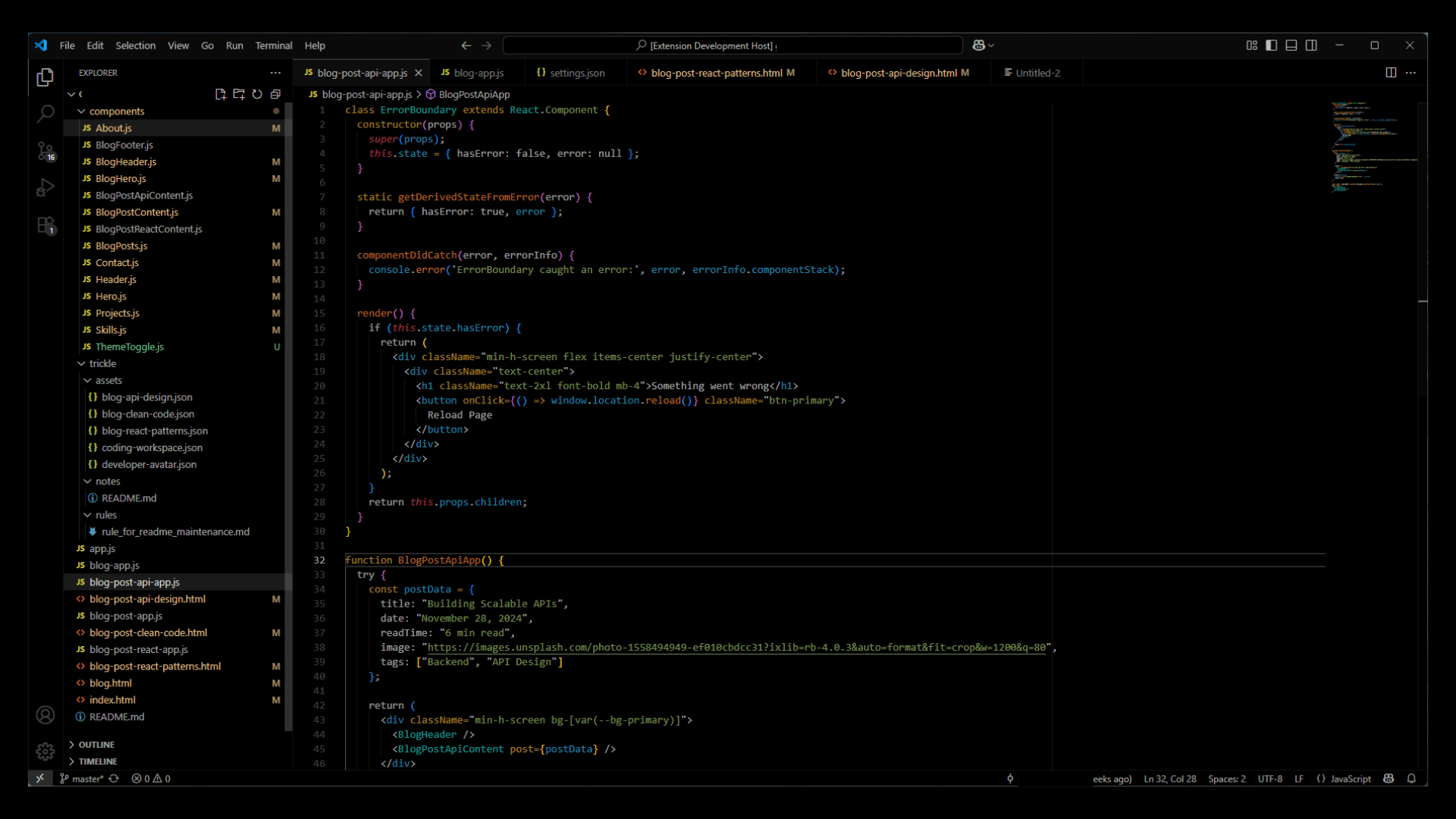
Pure black background with carefully selected syntax colors
Try It NowColor Palette
A carefully selected palette for maximum readability and comfort
Pure Black
#000000
Main background
White 62%
#ffffff9f
Main text
Pure White
#ffffff
Active elements
Dark Gray
#22222270
Borders
Subtle White
#ffffff15
Indentation guides
History
The story behind Back to Black
I've always been a big fan of dark themes — Ayu Dark, Dracula, Darcula, Night Owl, and many others. But all of them had one thing that always made me go back to my own customizations: they looked too bright 😅. They're not "light" themes, of course, but none of them truly delivered a real #000 with a comfortable contrast for the eyes.
The few full-black themes I found had the opposite problem: overly harsh contrast, poor color customization, and any color applied over pure black ended up looking way too intense.
So I finally decided to do something about it and thought:
"Many people must feel the same way. I'll take my internal theme tweaks, improve them, and share them online for anyone who wants to download."
And that's how Back to Black was born. Every time I tried other dark themes, I always ended up going back to black — literally, back to black.
P.S.: I later discovered there's a song by Amy Winehouse with the same name 😅. I had no idea when I created the theme and published it on VS Code. I just looked it up online to see if the name showed up anywhere — and that's when I found out. Great song, by the way!
Installation
Get started in just a few steps
Via VSCode Marketplace
- Open Visual Studio Code
Ctrl+Shift+Xto open Extensions- Search for "Back to Black"
- Click Install
Ctrl+K Ctrl+Tand select Back to Black